Curated Timer Workflows & Dashboards
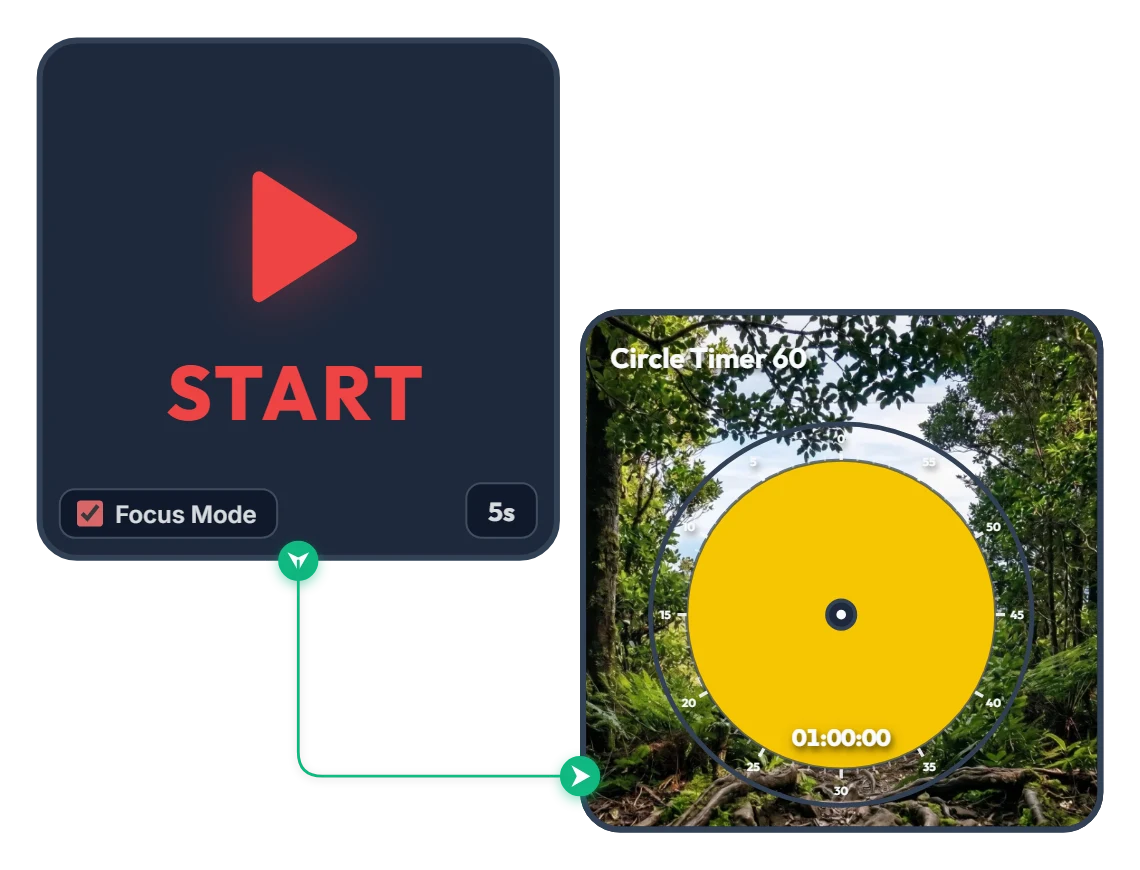
From Dense Woods to Wide-Open Skies! A 60-Minute Achievement Timer to Carry You Through the Hour
As the yellow disc shrinks and clears the dense forest, a victorious silhouette with arms raised high and a sweeping mountain range open up across your screen. Built with zero clutter—just a START widget and a 60-minute Circle Timer—this minimalist focus board helps you stay locked in until the finish line. When you press START, Focus Mode expands the timer to fill the board frame, guiding you steadily toward completing your full hour like a calm climb to the summit. 📌 Turn This On Whenever You Want to Finish Strong (Everyday Scenarios) • 1 Hour of Distraction-Free Deep Work (Office & Freelance) Put this on when tackling a major deliverable like a proposal, coding sprint, design layout, or video edit. Watching the yellow disc gradually fade and the horizon open up helps you resist distractions and claim a full, unbroken hour. • Breaking Through Today's Chapter or Practice Exam (Students) Ideal for working through dense textbook chapters or completing a full set of past exam questions. Just like emerging from thick woods onto an open ridge, you get a rewarding visual payoff at the end of a focused hour. • Miracle Morning 60-Minute Routine Start your morning grounded with reading, journaling, language practice, or meditation. The warm yellow glow and serene mountain scenery gently wake up your focus. • 1 Hour of Quiet Reading & Reflective Writing Silence phone notifications and message alerts for a full hour to immerse yourself deeply in a book or a piece of writing on the side of your monitor. ⚙️ How It Works & How to Customize Right on Screen Press START and after a 5-second breath-centering countdown (5s), Focus Mode activates—filling the board with the yellow 60-minute Circle Timer and starting the countdown. No complicated setup needed—just click directly on the board above to match your pace: • Change Prep Countdown: Click '5s' at the bottom right of the left START widget to adjust the pre-start pause anywhere from 0 to 59 seconds. • Adjust Focus Duration: Click the center of the right Circle Timer 60 widget to set any duration within 60 minutes (such as 45 or 50 minutes) that fits your goal. ❤️ If you found this helpful, tap the heart button and share how you used it in the comments—your tip could be a huge help to others!
 Amelia Miller