Curated Timer Workflows & Dashboards
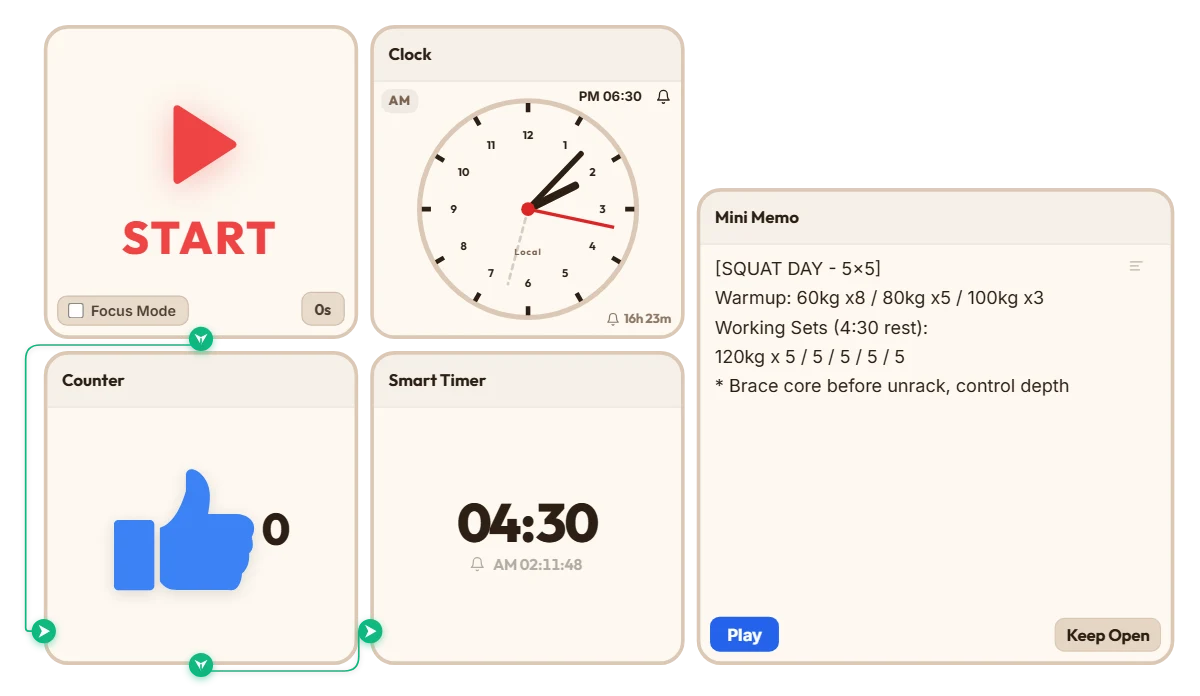
Heavy Squat Rest & Set Tracker (4:30 Rest + Auto Set Counter)
Whenever I do heavy 5x5 squats, I always run into the same annoying problem—by set three or four, brain fog hits hard. I either lose track of what set I'm actually on, or I unlock my phone to set a timer, get distracted, and suddenly realize I've been resting for eight minutes. I was looking for a clean, no-nonsense timer I could just leave open on my screen without downloading another bloated fitness app, and stumbled across this site. Connecting the counter and timer together turned out to be way easier than I expected. Put this board together before my leg session and tried it out—it actually works really well. Just hitting START once after racking the bar automatically ticks my set count up and starts my 4:30 rest countdown, with my warmup and working weights sitting right above it in the memo. Definitely going to keep using this setup for my heavy lifting days. If you train at home or need long rest intervals between heavy sets, feel free to grab this board and just tweak the rest time to fit your routine.
 Bradley Han
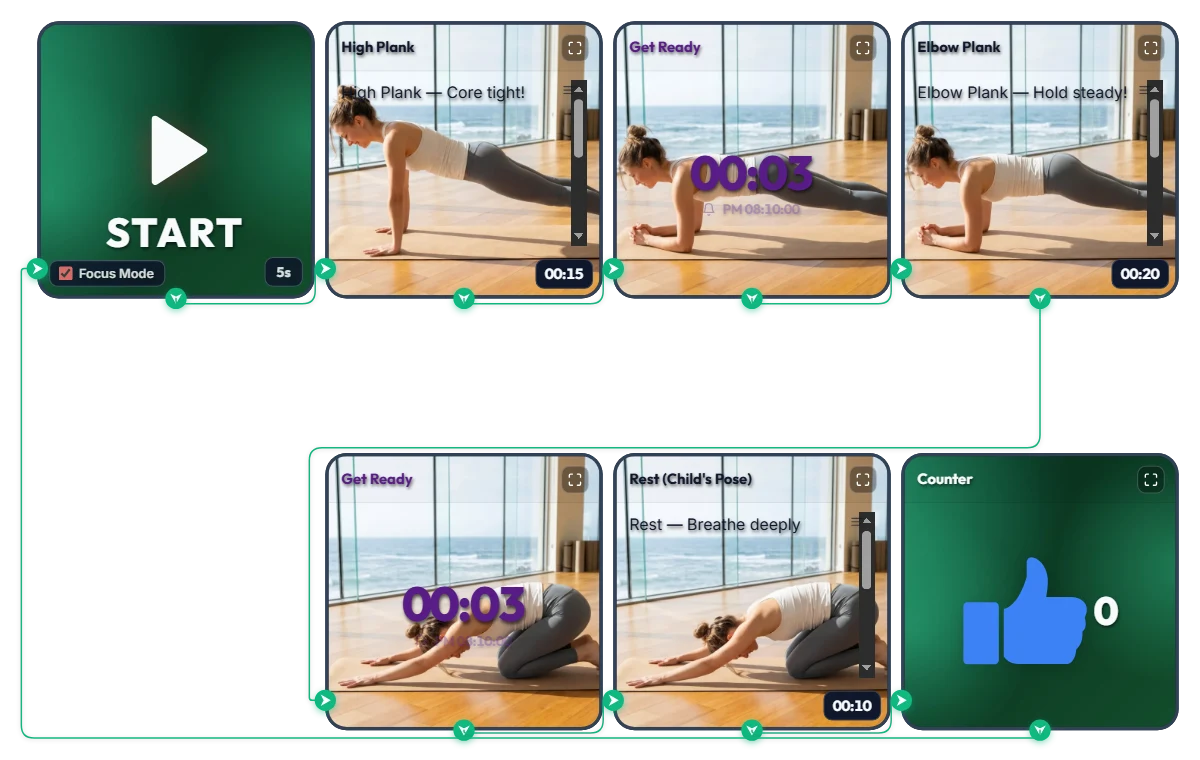
3-Minute Daily Core Routine! Customizable "High Plank → Elbow Plank" Infinite Loop Workout Timer
A shrinking top progress bar visually tracks your hold time while 3-second transition alarms cue every pose change—so you can follow along effortlessly face-down on your mat. This infinite-loop home workout board pairs High Plank (15s) → Elbow Plank (20s) → Child's Pose Rest (10s) into one quick set, automatically adding +1 to your thumbs-up (👍) counter every time you finish a round. Hit START and Focus Mode expands the exercise photos and form cues across the screen like your own personal trainer. The default times are set to an approachable beginner pace. Feel free to increase or decrease each interval to match your core strength and fitness level! 📌 Adapt It to Your Fitness Level & Schedule (Everyday Scenarios) • Beginner & Starter Core Routine (Default: 15s / 20s / 10s) New to planks? Start with the default settings and aim to complete 3 sets (about 2.5 minutes total). If holding feels tough at first, shorten the intervals to 10 seconds and focus on locking in proper form. • Intermediate & Advanced Core Challenge (e.g., 40s / 60s / 15s) If the starter pace feels too easy, bump each hold up to 30, 45, or 60+ seconds. Thanks to the 3-second transition alarm at the end of every move, you can switch positions smoothly without craning your neck to look at the screen. • 3-Minute Desk Break Refresh for Office Workers & Students Whenever your lower back and shoulders feel stiff from sitting too long, drop onto your mat for 3 to 4 quick sets. Watching the blue top progress bar shrink keeps you focused and recharges your energy fast. ⚙️ How It Works & How to Customize Durations Right on Screen Press START and after a 5-second setup countdown (5s), Focus Mode turns on and loops automatically through: [High Plank (15s) → Transition Alarm (3s) → Elbow Plank (20s) → Rest Alarm (3s) → Child's Pose Rest (10s) → Set Counter (+1)]. No complicated menus needed—click directly on the board above to tailor the difficulty: • Adjust Hold & Rest Times: Click the time display ('00:15', '00:20', '00:10') in the bottom-right corner of each of the 3 bottom exercise widgets (High Plank, Elbow Plank, Rest) to increase or decrease hours, minutes, or seconds. • Change Start Prep Time: Click '5s' at the bottom right of the left START widget to set anywhere from 0 to 59 seconds to get down into position. • Change Transition Alarm Duration: Click the center numbers ('00:03') on the two top-middle 'Get Ready' Smart Timers to adjust the buffer time between moves. • Edit or Reset the Set Counter: Hover your mouse over the top-right Counter widget to reveal a '-1' button in the bottom-left corner and a 'Reset' button in the bottom-right corner. ❤️ If you found this helpful, tap the heart button and let us know in the comments how many sets you crushed—your streak will motivate others!
 Amelia Miller